

Introducing Sub-Account Bulk Actions: A Game Changer for Bosseo CRM
We are thrilled to unveil a revolutionary feature for all agencies using our $497 Pro plan: Sub-Account Bulk Actions. This innovative feature promises to transform account management by enabling administrators to perform batch operations across multiple sub-accounts with just a few clicks. Say goodbye to operational overhead and hello to streamlined, efficient workflows.
Key Features of Sub-Account Bulk Actions
1. Bulk Management of Sub-Accounts
Select multiple sub-accounts directly from the Sub-Accounts List page and manage them swiftly. This functionality simplifies the often cumbersome task of managing numerous accounts, especially for large agencies.
2. Bulk Enable SaaS
Activate SaaS services for multiple clients simultaneously, with the flexibility to select different payment providers and SaaS plans. This feature is designed to enhance your overall SaaS management strategy, increasing efficiency and reducing time spent on individual setups.
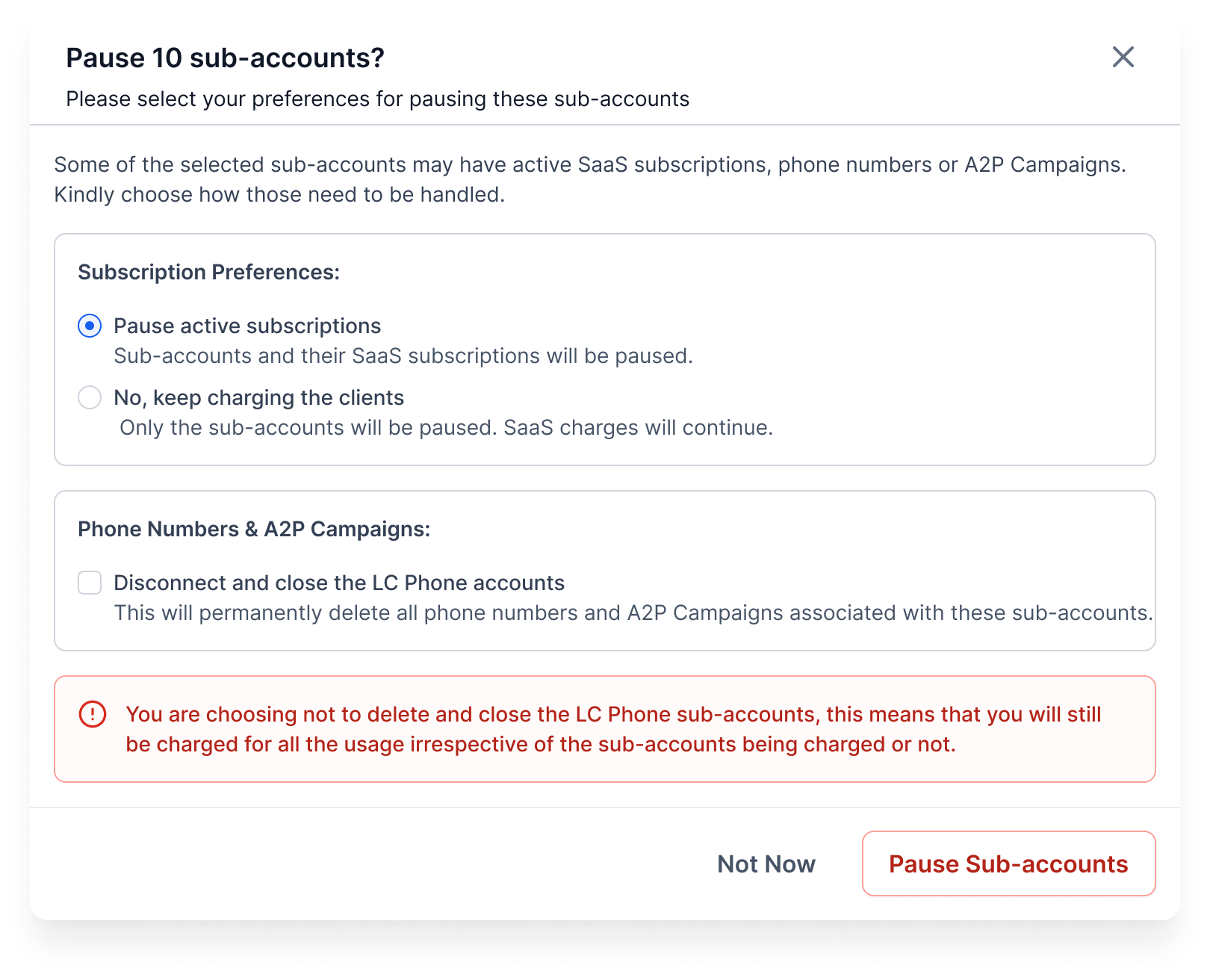
3. Bulk Pause Sub-Accounts
Need to temporarily halt services for non-compliant sub-accounts? Now, you can pause them in bulk, streamlining administrative controls and maximizing client management agility.
4. Bulk Actions Tracking & History
Transparency is key. This feature allows you to track all bulk actions performed and maintain a detailed history, providing you with comprehensive oversight and control over your account management processes.

How It Works
- Access Sub-Accounts List: Navigate to the Sub-Accounts List page within your Bosseo CRM dashboard.
- Multi-Select Accounts: Apply filters as needed and select multiple sub-accounts using the checkboxes or ‘Select All’ option.
- Initiate Bulk Actions: Click the ‘Bulk Actions’ button and choose from the dropdown of available actions.
- Customize Settings: Tailor your preferences for each action, such as selecting a payment provider when enabling SaaS features.
- Save Changes: Confirm your selections to apply the changes.
- Track Progress: Monitor the progress of your actions in the ‘History’ section for full transparency.

Use Cases Across Industry Sectors
Home Improvement Sector
For home improvement companies managing multiple project sites and teams, the Sub-Account Bulk Actions feature allows them to oversee different site accounts simultaneously. This ensures consistent SaaS application across all locations and facilitates swift responses to client needs, enhancing customer satisfaction and operational efficiency.
Legal Practices
Law firms can significantly benefit from this feature by managing multiple client accounts efficiently. With the ability to pause accounts or enable services seamlessly, legal practitioners can ensure billing accuracy and maintain service compliance across all client accounts.
Medical Practices
Medical practices dealing with multiple departments and patient services can utilize bulk actions to manage client data effectively. Features like Bulk Enable SaaS ensure that all departments are functioning under the correct SaaS plans, while the history tracking ensures compliance with healthcare regulations.

Future Enhancements
- Additional Bulk Actions: Expect future updates with features like enabling rebilling, setting markups in bulk, configuring reselling options, and applying snapshots across accounts.
- Expanded Access: Our goal is to extend these capabilities to agencies subscribed to our $297 Unlimited Plan, making these efficiencies more accessible.
Conclusion
Our commitment to providing unparalleled service and innovative solutions continues with the introduction of Sub-Account Bulk Actions. For agency administrators using Bosseo CRM, this feature is not just about saving time but also about enhancing service delivery and operational control. Stay tuned for more updates as we expand and refine our offerings to match the dynamic needs of your business.

